
Markdown Midget: a WordPad-style editor for Windows
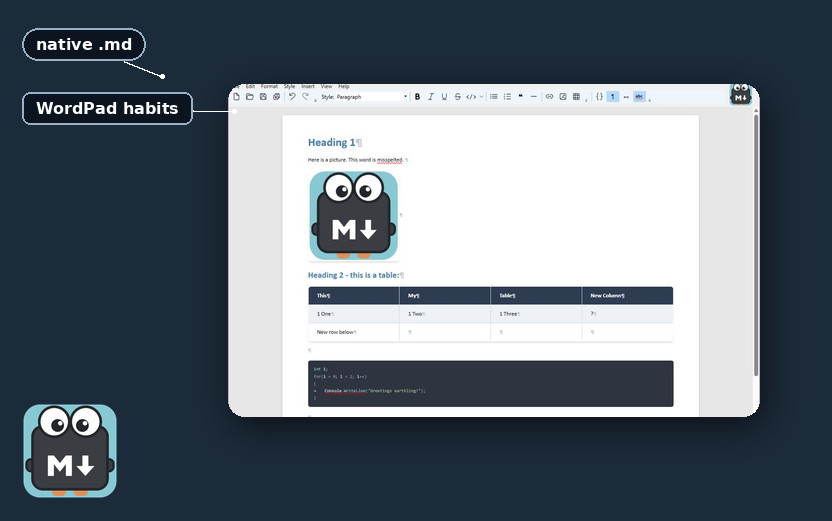
Markdown Midget is a WordPad-style editor for Windows whose native format is markdown. You type in a formatted view, so headings, lists, tables, pictures, and links look like a document while you work, not like punctuation in a source file. The file on disk is still .md, even while the window looks like a formatted document.
The signed exe is on GitHub; the readme there lists download, requirements, and the menus.
The source is one toggle away
View ▸ Edit Markdown Source (Ctrl+E) shows the source, so you can see the markdown the formatted view had been rendering. Toggle back with the same command and you are in the document again.
Menus follow WordPad
Menus and shortcuts follow WordPad on purpose: File, Edit, Format, Insert, View, Help. Ctrl+B, Ctrl+I, Ctrl+U, and Ctrl+S do what they do in WordPad, so your hands do not have to learn a second map. File ▸ New opens a new window, a second editor rather than a blank replacement of the one you were in.
Pictures stay in the file
Pictures travel with the file; they are embedded in it, so a copy of the markdown still has the images inside. Spell check uses a private dictionary: the words you add stay in Midget, not in Word.
It stays on your PC
It stays on your PC, with settings and recent files under %LocalAppData%\MarkdownMidget (a folder Windows keeps for this app on your account). Nothing is uploaded, and there is no telemetry. The build is a single exe, signed by Funcular Labs, a beta you download and run on your own PC.
Download the signed exe from GitHub. You will need Windows 10 or 11, the .NET 10 Desktop Runtime, and WebView2 (already on Windows 11).