
Aperture navigates like Explorer
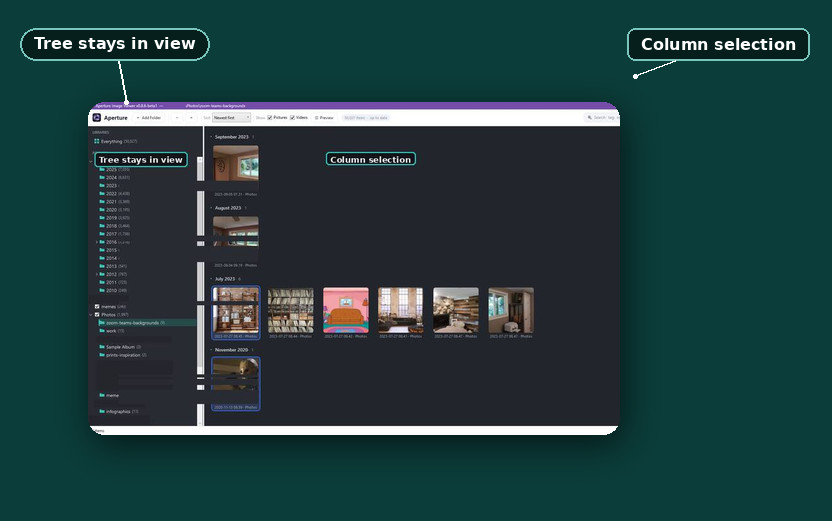
Aperture Image Browser now takes its keyboard from File Explorer instead of arguing with it. The arrow keys, Tab, and the first click into the window all do what Explorer has trained your hands to expect. For anyone whose screenshots and photos have outgrown File Explorer, Aperture is a free Windows app that browses those folders fast.
If Aperture is new to you, the introduction post explains what it does, and the GitHub readme covers download and install.
Arrow keys stay in their column
Up and Down in the thumbnail grid used to move by position in the list, which is the wrong unit for a grid that wraps. In a four-column layout the selection could drift diagonally instead of moving straight down, because the column count used for wrapping and the columns you could actually see disagreed. Now Up and Down move within the same visual column, and they keep doing it across the date headers that divide the grid. When the bottom row is short and the cell below you is empty, the selection lands on the nearest tile in that column, or failing that the nearest in the row — never on a header, never on a random tile. Page Up and Page Down move about one screenful and keep your column and your height on screen steady.
Tab has two stops
Tab and Shift+Tab toggle between the folder tree and the thumbnail grid, and nothing else in the window ever joins that cycle. Search keeps its own keys: press / or Ctrl+F.
The folder tree answers immediately
Click or Tab into the folder tree and the arrow keys change folders right away, with each folder you land on selected the moment you reach it. The thumbnails rebuild in the background, and when a rebuild runs slow the grid shows Loading… instead of blocking your next arrow press until it finishes drawing.
The first click counts
Clicking an unfocused Aperture window used to do nothing except bring it forward, and the click itself went nowhere. File Explorer has never worked that way, and now Aperture matches it: the click that wakes the window also lands on the folder, tile, or full-size image area you aimed at.
These keyboard changes ship in beta v0.8.6-beta1; the release notes list each change with its keystrokes. If a key still behaves unlike Explorer, file a GitHub issue and say which key.