
Aperture can start with Windows
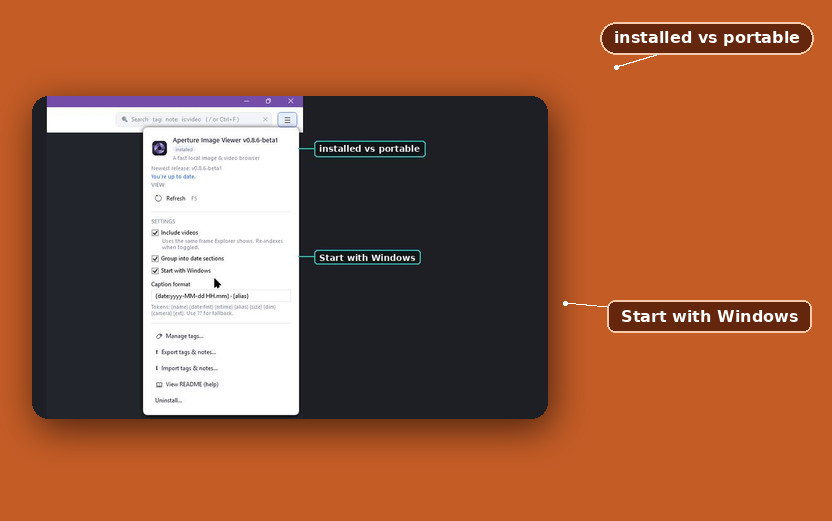
You can now install Aperture Image Browser on your PC, and you can have it start with Windows. Aperture is a fast local image browser for Windows, for people who are tired of File Explorer crawling through a big photo folder. Those two jobs landed in successive builds: version 0.8.1 added Install Aperture on this PC… and the Start with Windows checkbox, and version 0.8.2 stopped a portable copy from adding itself to Windows startup.
Signed copies of the install live on GitHub, and the introduction post walks a Camera Uploads pile and the date-grouped thumbnails from the first public build.
Put Aperture under your profile
The hamburger menu in the upper right lists Install Aperture on this PC…, which copies the app into a folder under your profile (%LocalAppData%\Programs\Aperture), adds a Start menu shortcut, and can add a Desktop shortcut. Uninstall… reverses that copy, so the Start menu shortcut and the AppData folder go away.
The About box offers Update
When a newer build exists, the About box checks GitHub and offers Update, so you can apply it from that box without hunting the release page. An installed copy swaps the new exe into the same folder, and the next launch is that file. A portable copy downloads the new exe next to the one you ran. The About box prints installed or portable under the version number, matching the copy you actually launched.
Start with Windows stays off
Start with Windows stays off until you tick it, so Windows does not launch Aperture at logon until that box is on. When the box is on, Aperture starts when Windows does (it adds itself to the Windows startup list — the same one you see in Task Manager’s Startup tab; the registry key is HKCU\Software\Microsoft\Windows\CurrentVersion\Run\Aperture). An install or an update rewrites that startup entry to the AppData exe, so logon does not keep launching last month’s file from Downloads. If you turn it on from a portable copy, Aperture asks to install first rather than putting a Downloads path into the registry. If you decline that prompt, autostart stays off, and Windows will not launch Aperture at logon.
The install that refuses a Downloads path at logon is v0.8.2-beta1. If Start with Windows still launches last month’s file from Downloads after you run Install Aperture on this PC…, describe the path on that tag.